





AI Homework Help for Kids: Custom Practice Exercises (2026)
ON THIS PAGE
Subscribe To Get Weekly Family AI Discoveries

- You can photograph your child's homework or test, upload it to an AI chatbot, and get unlimited similar exercises in minutes
- This works best for ages 6+ where kids have structured schoolwork to build on
- Claude with artifacts is the strongest option because it formats exercises as clean, printable pages
- AI chatbots occasionally get maths wrong, so always check the answer key before handing exercises to your child
- This is a supplement, not a replacement. Your child still needs teaching, explanation, and encouragement from you
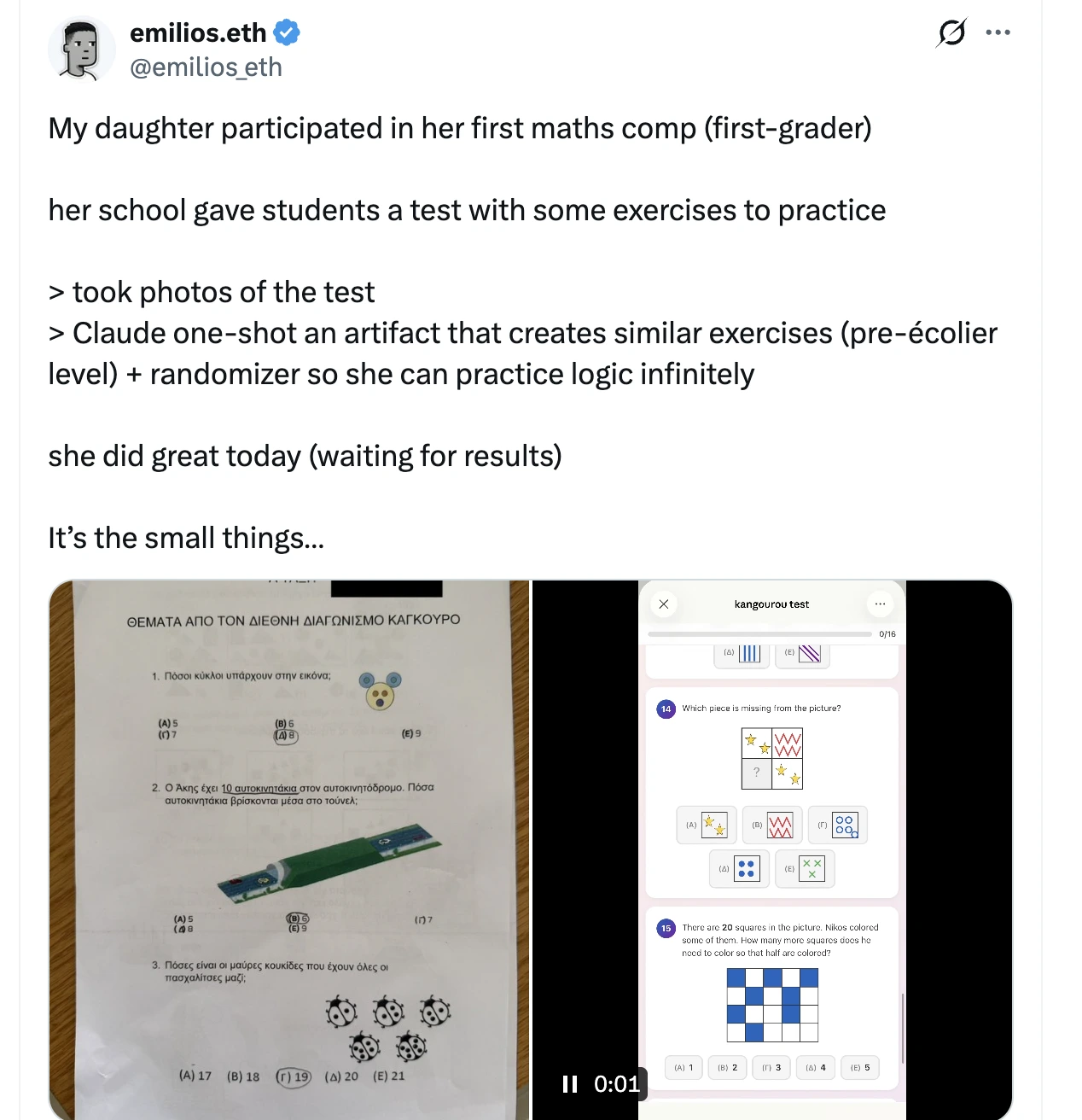
A few weeks ago, a tweet went semi viral that stopped me mid-scroll. A dad in Greece had photographed his first-grader's maths competition paper, uploaded it to Claude, and asked for more exercises at the same level. Within seconds, he had infinite practice material personalised to exactly what his daughter was studying. No searching for worksheets. No guessing whether the difficulty was right.
I immediately wanted to try this with my own kids. We spend a lot of time in this house testing AI tools, but using a chatbot as a personalised worksheet generator? That felt like something genuinely useful for day-to-day school life. So I tested it with my 6-year-old's maths homework and my 8-year-old's spelling lists, and the results surprised me.
This guide walks through exactly how to do this yourself, which AI tools work best, what went wrong in our testing, and the honest limitations every parent should know about.
Not sure which tool is right for your child?
Take our free 2-minute quiz and get personalized AI tool recommendations based on your child's age and interests.
What you'll need
The tweet that started this
The original post came from a Greek dad on X (Twitter). His daughter was preparing for a first-grade maths competition, and he needed practice material at exactly her level. Instead of searching through worksheet sites or buying prep books, he took a photo of the competition paper, uploaded it to Claude, and typed something like: "Create 10 more exercises at this exact difficulty level."
Claude generated a full set of practice problems using its artifacts feature, formatted as a clean, printable page. The dad could then say "make them slightly harder" or "focus more on subtraction" and get a new set instantly. He was essentially creating a personalised maths tutor that adapted to his daughter's specific needs.
The tweet got thousands of likes and replies from parents asking how to do the same thing. Most of the replies boiled down to: "Wait, you can just DO that?"
Yes. You can. Here's how.
Step-by-step: creating custom exercises with AI
Step 1: Photograph your child's schoolwork
Take a clear photo of whatever your child is currently working on. This could be:
.webp)
The photo doesn't need to be perfect, but make sure the text and numbers are readable. Good lighting and a flat surface help. If the page has multiple sections, you can photograph just the part you want more practice on.
Step 2: Upload to your AI chatbot
Open Claude, ChatGPT, or Gemini in your browser. Click the attachment/upload button and add your photo. All three tools can read images and understand what's on the page.
Step 3: Write your prompt
Here's the prompt that works best (adapt it to your situation):
Basic prompt:
"My [age]-year-old is working on this in school. Can you create 10 similar exercises at the same difficulty level? Include an answer key at the bottom."
More specific prompt:
"My 6-year-old is preparing for a maths test on addition and subtraction within 20. Here's a photo of her practice sheet. Can you create a new set of 15 exercises at the same level? Format them clearly with space for her to write answers. Include an answer key on a separate page."
For Claude specifically, add:
"Please create this as an artifact so I can print it."
This tells Claude to use its artifacts feature, which generates a clean, formatted document you can print directly or copy into a word processor.
Step 4: Review the output
This step is critical. Always check the answer key before giving exercises to your child. AI chatbots are not calculators. They predict what the right answer probably looks like based on patterns, which means they're usually right but not always. For a Year 1 addition worksheet, errors are rare. For Year 4 long division, check every answer.
In our testing, Claude got the answers right roughly 95% of the time for simple arithmetic. But that 5% matters when your child is learning. One wrong answer in the key and your child practises the wrong thing. Spend 2 minutes checking.
Step 5: Iterate and adjust
This is where AI homework help gets really useful. After your child completes the first set, you can go back to the chatbot and say:
The AI remembers the conversation context, so each new set builds on what came before. This is the real advantage over static worksheet sites.
💡 Parent Insight: Save your best prompts somewhere. Once you find a prompt that generates exercises your child actually engages with, you can reuse it every week with small tweaks. I keep a note on my phone with our go-to prompts for each subject.
Why this works better than googling worksheets
I've spent hours on worksheet websites. You probably have too. The problem is always the same: the exercises are either too easy, too hard, or cover slightly different material than what your child is actually learning in class.
When you upload your child's actual schoolwork, the AI matches:
That last point matters more than you'd think. My 6-year-old's school writes subtraction problems vertically. Most worksheet sites default to horizontal. When I uploaded her actual homework sheet, Claude generated exercises in the same vertical format she was used to. Small detail, but it meant she could focus on the maths rather than adjusting to a different layout.
What we tested (and what happened)
With our 8-year-old: spelling and vocabulary
My 8-year-old has a homework book called My Spelling Workbook. Every week he works through a unit that includes a word search, a crossword, unjumble exercises, and Who Am I clues. He's good at them. They don't take long.
I started by uploading his spelling list to Claude and asking for practice sentences using each word. Claude formatted them cleanly as an artifact and the exercises matched his level. He completed them without complaint, though he didn't find them exciting.
Then I tried something different. Instead of generating worksheets about his spelling words, I asked: what if he could do the same types of exercises he already does for homework, but on topics he actually cares about? For him, that means Arsenal players.
I first tried getting Claude to generate crosswords and word searches via artifacts. It worked, but the formatting was inconsistent and the crosswords didn't have proper intersecting grids. So I built WordLab, a free tool that generates five word games (crossword, word search, unjumble, missing letters, Who Am I) on any topic your child types in.
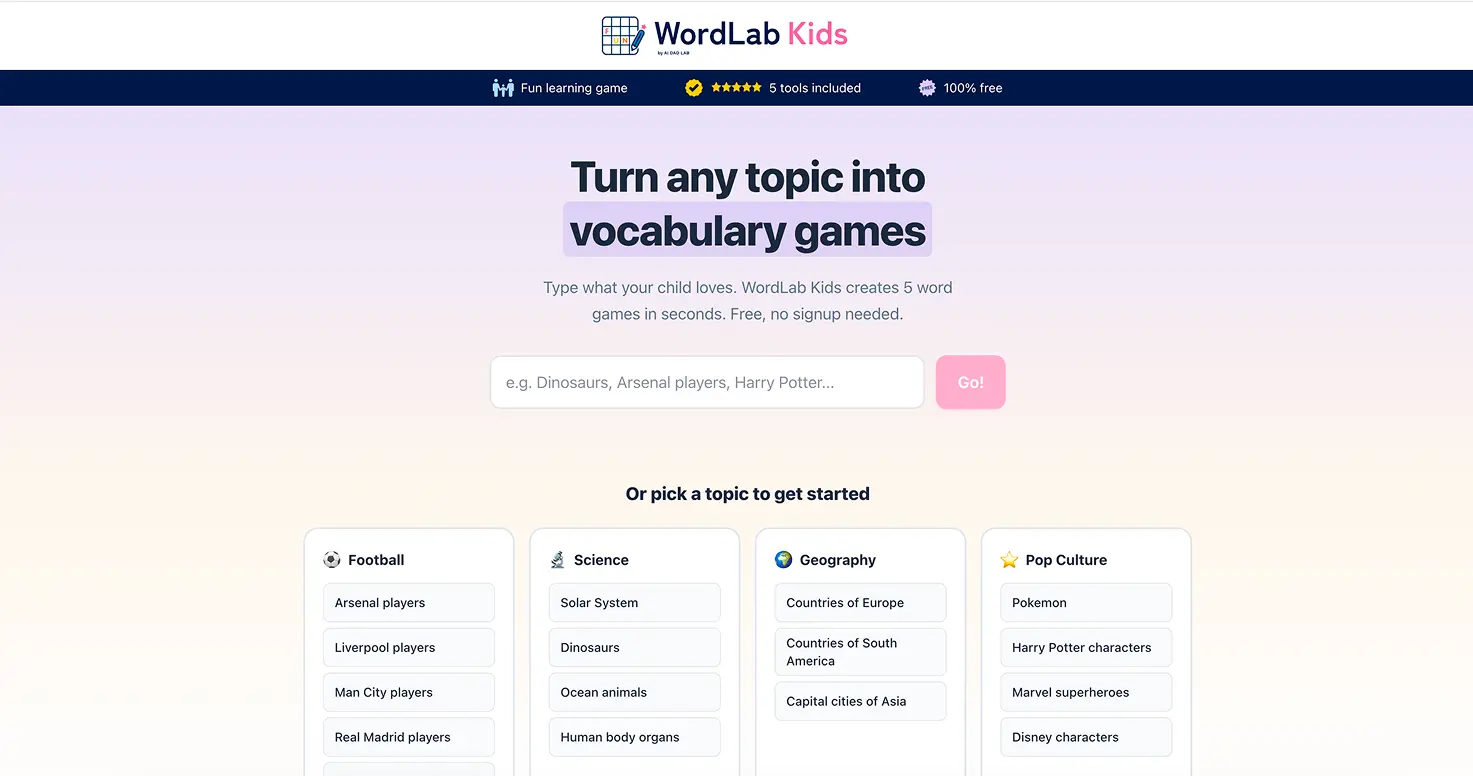
The difference was immediate. His spelling workbook takes 10 minutes and he moves on. The Arsenal crossword on WordLab held him for 15-20 minutes. He uses Reveal on 2-3 words when stuck, but he's still reading clues like "Norwegian playmaker and set-piece specialist" and building vocabulary and comprehension. The format is identical to his homework. The topic is what changed everything.
With our 6-year-old: spelling and word recognition
My 6-year-old is still learning basic 2-3 letter phonetic words in school, so AI-generated worksheets at her level are limited. Simple counting and letter recognition exercises worked fine in Claude, but she didn't engage with printed sheets for long.
What worked better was using WordLab together. I typed in "Peppa Pig" and we worked through the games as a pair. For the crossword, I read the clues and she spelled out shorter names: P-E-P-P-A, S-U-S-I-E. The word search grid was too big for her to scan alone, but when I pointed to roughly where a short word started, she could spot it and trace it with her finger. The unjumble worked well for small words too.
She's probably a year away from using any of this independently. But as a parent-guided activity, both the chatbot worksheets and WordLab worked for building her spelling and word recognition. The key is picking topics she already knows (Peppa Pig, Bluey) so the words are familiar.

With our 3-year-old
Structured worksheet-style practice doesn't suit a 3-year-old, regardless of how it's generated. I tried getting Claude to create simple counting exercises and colour recognition sheets. The outputs were fine, but he had zero interest in sitting down with a printed sheet. At this age, learning happens through play, conversation, and hands-on activities, not worksheets. I'd revisit this approach when he's 5.
Which AI tool works best for this?
FeatureClaudeChatGPTGeminiImage uploadYes (free)Yes (free)Yes (free)Printable formattingExcellent (artifacts)Good (canvas)BasicMaths accuracyGood (check answers)Good (check answers)Good (check answers)IterationStrongStrongDecentFree tier limitsLimited messages/dayLimited messages/dayGenerousBest forClean printable sheetsGeneral purposeQuick generation
My recommendation: Start with Claude. The artifacts feature makes a real difference for this use case because you get a formatted, printable document rather than exercises buried in a chat conversation. If you hit Claude's free tier message limit, switch to ChatGPT or Google Gemini for the rest of the session.
Beyond maths: other subjects this works for
We focused on maths because that's what the original viral tweet was about, but this approach works for almost any subject where practice repetition helps:
We tested spelling extensively with our 8-year-old. Uploading his weekly word list to Claude and asking for practice sentences worked well. But the bigger win was building WordLab, where he picks the topic himself and gets the same types of exercises he does for homework (word search, crossword, unjumble) but on subjects he cares about. The engagement difference between "spelling list from school" and "Arsenal players crossword" was significant.
Limitations and what to watch for
AI gets maths wrong sometimes
I keep saying this because it's the most important caveat. AI chatbots are language models, not calculators. They predict what the right answer probably looks like based on patterns, which means they're usually right but not always. For a Year 1 addition worksheet, errors are rare. For Year 4 long division, check every answer.
It doesn't replace teaching
If your child doesn't understand a concept, more practice exercises won't help. They'll just practise getting it wrong repeatedly. Use AI-generated exercises for reinforcement after your child has been taught something, not as a substitute for learning it in the first place.
Screen time vs paper time
The exercises are generated on screen, but I strongly recommend printing them out. Kids (especially younger ones) need to write with a pencil and work through problems physically. The AI is just the generation tool. The learning happens on paper.
The "unfair advantage" question
Some parents in the replies to the original tweet called this an "unfair advantage" for the competition. It's a fair point. If one child has access to unlimited personalised practice material and another doesn't, there's an imbalance. Here's how I think about it:
I don't think using AI to generate practice exercises is cheating. Using AI to do the exercises for your child would be. The distinction matters.
💡 Parent Insight: You should be the one using the AI chatbot, not your child. These tools aren't designed for children, and there are no child-specific safety filters on the general chatbot interfaces. Generate the exercises yourself and hand your child the printed sheet.
Prompts to try
Here are the exact prompts that worked best in our testing. Copy and adapt them:
For maths practice
"Here's a photo of my [age]-year-old's maths homework. Please create 15 similar exercises at the same difficulty level. Format them clearly with numbered questions and space for written answers. Include an answer key on a separate section at the bottom. Create this as an artifact."
For spelling practice
"Here are my child's spelling words for this week: [list words]. Please create 3 different exercises: 1) Fill in the missing letters, 2) Use each word in a sentence with a blank where the word goes, 3) A word search containing all the words. Create as an artifact."
For reading comprehension
"Write a short passage (150 words) suitable for a [age]-year-old about [topic they're interested in]. Then create 5 comprehension questions: 2 factual recall, 2 inference, and 1 opinion question. Include an answer guide."
For making it fun
"Create the same type of exercises but themed around [dinosaurs/space/football/whatever your child is into]. Keep the maths difficulty identical but change all the word problems to be about [theme]."
The bottom line
Using AI to generate personalised practice exercises is one of the most practical things I've found a chatbot useful for as a parent. It takes less time than searching worksheet sites, produces better-matched material, and lets you adjust difficulty on the fly based on what your child actually needs help with.
The key points: always check the answer key, print exercises rather than having kids work on screen, and remember that practice only helps after your child has been taught the concept. The AI generates the worksheets. You provide the teaching, encouragement, and checking.
Start simple. Photograph tonight's homework, upload it to Claude, and ask for 10 similar exercises. See what happens. You might be surprised how well it works.
If you want vocabulary and spelling practice without running prompts yourself, try WordLab. Your child types any topic and gets five word games instantly. Free, no signup. We built it because our 8-year-old wanted the same homework exercises but on topics he chose. My wife also spent 20 minutes playing world dances after her Zumba class, so it's not just for kids.


