Preparing Children for the AI Age: What 500 Hours of Testing Taught Me
ON THIS PAGE
Subscribe To Get Weekly Family AI Discoveries

- Tinkering with AI as a learning partner - Real example: Created a 10-minute educational podcast about the Irish Famine using NotebookLM that kept an 8-year-old engaged and asking for more
- Using AI to build emotional intelligence - Used Gemini to create personalized stories that helped a 6-year-old process first-day-of-school anxiety
- Modeling adaptability through testing - 500+ hours of testing shows kids that tools change, failures lead to iteration, and asking for help is strength
- What's NOT working - Audience building is unrealistic for most kids, free tools are disappearing, and attention spans are limited to 8-10 minutes for passive content
- Start this weekend - Three beginner projects using free tools: educational podcasts, custom coloring pages, or personalized stories
A few months ago, I came across an essay by technology researcher David Mattin called "What Do I Tell My Children?" In it, he describes a question he gets after almost every corporate talk he gives on AI: someone raises their hand and asks, with genuine worry, what kind of future their kids are heading into.
It's a question every parent is asking right now. Google search data shows queries for "preparing children for AI age" have tripled in the past year. We're all feeling it—this low-grade anxiety about whether our kids will be ready for a world where AI does most of the cognitive work humans currently do.
Mattin's essay offers seven thoughtful principles: encourage tinkering, build emotional intelligence, lean into weirdness, cultivate resilience. They're good principles. But they're also abstract. I kept thinking: What does this actually look like on a Tuesday afternoon with an 8-year-old?
So instead of theorizing, I started testing.
Over the past 18 months, I've spent 500+ hours testing more than 100 AI tools with my kids (ages 6 and 8). I've documented every project: what worked, what failed, how much it cost, how long it actually took, and whether they asked to do it again.
I've created educational podcasts about the Irish Famine, viral celebrity selfie videos, custom coloring pages from my daughter's imagination, and personalized stories to calm first-day-of-school anxiety. Some projects were brilliant. Many failed spectacularly.
What I've learned is this: preparing children for the AI age isn't about teaching them to code (though that's fine too). It's about three specific, testable behaviors you can start building this weekend.
Here's what actually works.
Not sure which tool is right for your child?
Take our free 2-minute quiz and get personalized AI tool recommendations based on your child's age and interests.
Three Principles That Actually Work
1. Encourage Tinkering with AI as a Learning Partner
What Mattin says: Build familiarity with AI tools. Let kids see what's possible when human creativity collides with machine intelligence.
What this looks like in practice:
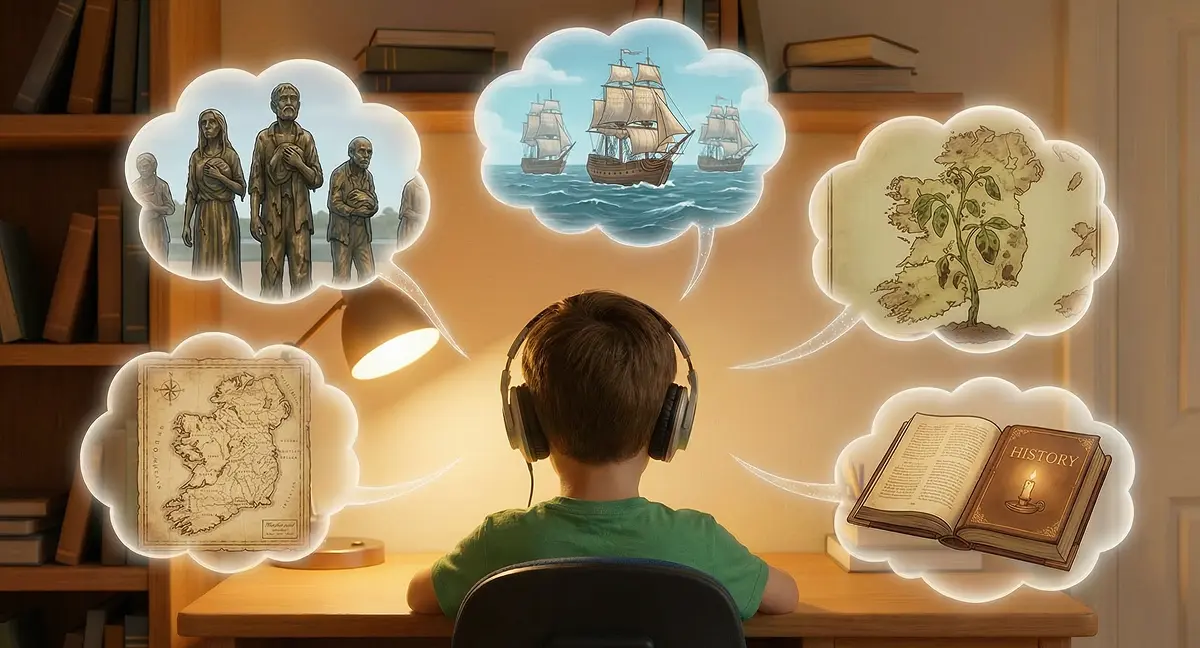
Last New Year's Day, my 8-year-old son Mateo and I were walking along Dublin's docks when he stopped at a set of bronze statues—skeletal figures with bundles, heading toward ships.
"Dad, who are these people?"
Famine victims. The Great Irish Famine, 1845-1852.
He asked questions I couldn't fully answer. How did it start? Why couldn't they just eat other food? How many people died?
I could give surface-level answers, but this deserved better. A lecture from me would last five minutes before his attention wandered. A history textbook wouldn't work—too dense, too boring for an 8-year-old.
Then I remembered NotebookLM, Google's AI research tool. What if I could create a custom educational podcast specifically designed for an 8-year-old, using age-appropriate sources, with clear definitions and a quiz at the end?
Here's what I did:
- Found age-appropriate sources - I asked ChatGPT to recommend sources suitable for an 8-year-old. It suggested Britannica Kids, National Geographic for Kids, and a first-person account from a 12-year-old boy named Daniel Tighe who walked 165 kilometers to Dublin during the famine.
- Vetted the sources - I ran three verification prompts in NotebookLM to check for contradictions, identify gaps, and look for missing viewpoints. This took 5 minutes but ensured I wasn't teaching incomplete history.
- Created the podcast - I uploaded the sources and gave NotebookLM this prompt: "Create an educational podcast about the Great Irish Famine for an 8-year-old boy. Focus on Daniel Tighe's story to make it relatable. Define difficult terms clearly. End with 5 comprehension questions."
- Listened together - The AI generated a 10-minute conversation between two friendly podcast hosts explaining the famine using Daniel's story as the narrative thread.
The results:
Mateo listened to the full 10 minutes. He answered all 5 quiz questions correctly. More importantly: when it ended, he asked, "Can we make one about the Irish War of Independence?"
Cost: £0 (NotebookLM is free)
Time: 30 minutes setup, 10 minutes listening
What worked: Conversational format, personal narrative (Daniel's story), defined terms within the podcast, immediate quiz
What failed:
- AirPods for young kids - They kept slipping out. He got distracted adjusting them. Next time: Bluetooth speaker or mobile app.
- 10 minutes was slightly too long - By minute 8, his attention wandered. Sweet spot for age 8: 6-8 minutes.
- Laptop playback instead of mobile - The NotebookLM mobile app is specifically designed for audio and makes pausing/rewinding much easier.
Other tinkering projects that worked:
- Creating a viral celebrity selfie video (age 8, 2-3 hours) - Mateo learned AI prompt writing, image generation, and video sequencing. Skills developed: creative direction, storyboarding, patience with iteration.
- Custom coloring pages from imagination (age 6, 15-20 minutes) - My daughter described scenes, AI generated coloring pages. Skills: descriptive language, scene composition, creative storytelling.
Parent action plan:
Start with one topic your child is curious about. Use NotebookLM or ChatGPT to create a short podcast or story. Listen together. The goal isn't perfection—it's showing them that AI can supercharge their learning when they bring their own curiosity to the table.
2. Use AI to Build Emotional Intelligence (Not Replace It)
What Mattin says: When AI can do all the "hard" cognitive work, value shifts to what only humans can provide—empathy, emotional intelligence, human connection.
What this looks like in practice:
Three weeks before my daughter started school for the first time, she was anxious. New building, new teacher, new kids. Classic first-day nerves.
I could tell her "it'll be fine," but anxiety doesn't respond well to logic. What she needed was a story—something that normalized her feelings and showed her what to expect.
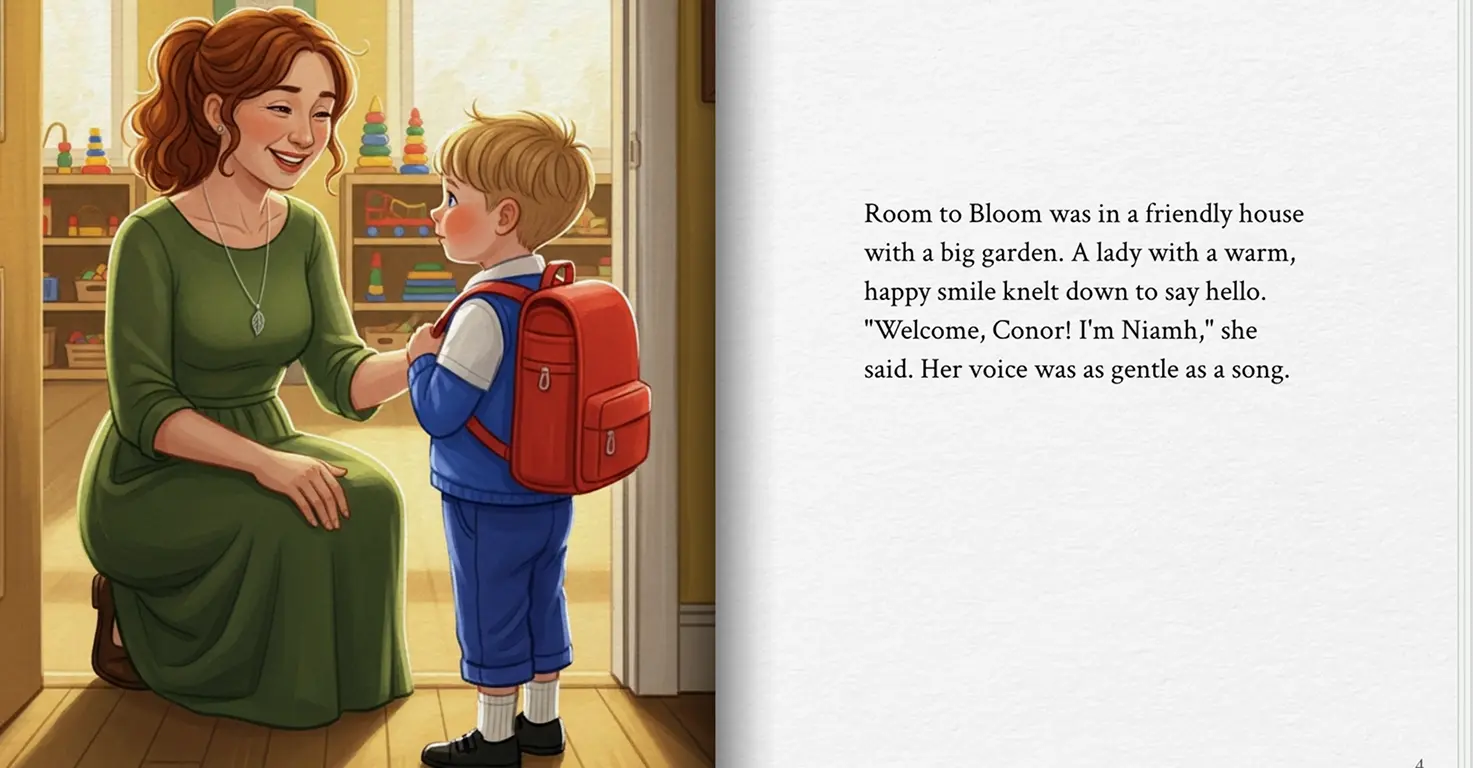
So I used Gemini to create a personalized story about a character who shared her exact situation: first day at a new school, nervous about making friends, worried about not knowing where the bathroom is.
What I did:
- Asked my daughter what she was worried about (very specific: "What if I can't find the bathroom?" "What if no one wants to play with me?")
- Gave Gemini this prompt: "Write a short story for a 6-year-old girl starting school. Include these specific worries: [list]. Show her making a friend, finding the bathroom, and having fun."
- Read the story together before bed for three nights leading up to the first day
The results:
The story didn't eliminate her anxiety—that's not how anxiety works. But it gave her a framework for processing it. When she came home after day one, she said: "It was like the story. I found the bathroom and I made a friend."
Cost: £0 (Gemini free tier)
Time: 15 minutes to create, 5 minutes/night to read
Skills developed: Emotional preparation, understanding narrative structure, processing anxiety through storytelling, building confidence
Other emotional intelligence projects:
- Unicorn animation storytelling (age 6, 2-3 hours) - My daughter created a character, developed a story, and saw her imagination come to life. Skills: creative storytelling, character development, visual narrative structure.
- Treasure hunt holiday reveal (all ages, 30-40 minutes) - AI-generated clues for revealing our Tenerife holiday. Skills: working as a team, excitement management, problem-solving together.
Parent action plan:
Identify one emotional challenge your child is facing (new school, anxiety about performance, friendship issues). Use AI to create a story that normalizes their feelings and models positive outcomes. The AI isn't replacing your emotional support—it's giving you a tool to provide it more effectively.
3. Model Adaptability by Testing (You're Teaching by Doing)
What Mattin says: The future economy will be like surfing—spotting waves, riding them, adapting when they change. Kids need to see adaptability modeled.
What this looks like in practice:
Here's the thing no one tells you about preparing kids for the AI age: they're watching you.
When I test a new AI tool and it doesn't work, my kids see me try a different one. When a tool we love suddenly costs £79/month (looking at you, Kling AI), they see me evaluate whether it's worth it or if there's a free alternative. When I spend 2-3 hours creating a cinematic Nemo video through iteration and patience, they see that creation isn't instant—it's a process.
What I've modeled over 500 hours of testing:
- Tools change constantly - I maintain a Free AI Tools 2026 guide because what was free last month might cost £20/month this month. This teaches them: evaluate, adapt, find alternatives.
- Failure is iteration, not defeat - The Nemo project took 90 minutes of iterating prompts, adjusting sequences, and re-generating clips. My son watched me iterate without frustration. That's the lesson.
- Ask for help when stuck - When I couldn't figure out how to make NotebookLM's interactive mode work, I asked ChatGPT for a tutorial. My kids saw: when you're stuck, you ask. No shame in it.
Real example from our testing:
Last month, we wanted to create custom coloring pages from my daughter's imagination. First tool I tried: terrible output, inappropriate images. Second tool: better, but limited free tier. Third tool (Leonardo AI): perfect for our needs.
My daughter saw the whole process. She learned: the first tool you try isn't always the right one. You adapt.
Parent action plan:
You don't need to test 100 tools. But when you use AI in front of your kids—whether it's ChatGPT to plan dinner or an AI tool to solve a work problem—narrate your process. Say out loud: "This didn't work, let me try a different prompt." Let them see you adapt. That's the real lesson.
Reality Check: What's NOT Working
Let me be honest about what the parenting advice gets wrong about preparing kids for AI:
❌ "Every child can be a content creator with an audience"
Mattin's essay talks about building micro-communities and audiences. Great for adults. Unrealistic for most kids.
We've made YouTube videos. My kids have uploaded puppet shows, product reviews, skits. You know who watches them? Us. And maybe grandparents.
Your 8-year-old probably isn't going to build an audience. And that's fine. The value is in creating, experimenting, and seeing their ideas come to life—not in chasing views.
❌ "Free AI tools will stay free"
When I started testing, most tools offered generous free tiers. Eighteen months later:
- Kling AI: $0 → £79/month
- Leonardo AI: 150 free credits → 30 credits/month
- Many tools: free tier quietly disappearing
This teaches an important lesson: the AI landscape is shifting fast. What works today might not work tomorrow. Adaptability isn't optional.
❌ "Kids have infinite attention spans for AI projects"
Spoiler: they don't. Even the most engaging AI project loses an 8-year-old after 8-10 minutes of passive consumption. Interactive projects (where they're creating, not just watching) can stretch to 30-40 minutes before interest wanes.
Match project length to age. For ages 6-8: aim for 15-30 minute sessions.
Start This Weekend: Three Beginner Projects
Ready to start preparing your children for the AI age? Here are three projects you can do this weekend, all using free tools:
1. Create an educational podcast on any topic they're curious about
→ Tool: NotebookLM (free)
→ Time: 30 minutes setup, 6-10 minutes listening
→ Full tutorial here
2. Make custom coloring pages from their imagination
→ Tool: Leonardo AI or ChatGPT
→ Time: 15-20 minutes
→ Step-by-step guide here
3. Write a personalized story to address an emotional challenge
→ Tool: ChatGPT or Gemini (free)
→ Time: 15-20 minutes
→ How we did it here
Want weekly tested projects like these? Join 500+ parents getting practical AI projects for kids every week. No theory, just tested tools and real results.
The Bottom Line
Preparing children for the AI age isn't about predicting what jobs will exist in 2040. It's about building three habits today:
- Tinkering with AI as a learning partner (not a replacement for thinking)
- Using AI to enhance emotional intelligence (not replace human connection)
- Modeling adaptability through your own testing and iteration
You don't need to be a tech expert. You don't need to test 100 tools like I did. You just need to start.
Pick one project. Try it this weekend. Let your kids see you experiment, fail, adapt, and try again.
That's how you prepare them for whatever comes next.








.webp)