Battle of the AIs: my 9-year-old judged ChatGPT, Gemini and Claude
ON THIS PAGE
Subscribe To Get Weekly Family AI Discoveries

My 8-year-old asked me how airplanes fly. We fly from Colombia to Ireland next week, after five weeks away, and he wants to know what keeps the plane in the air.
Instead of answering him myself, I ran a test. I gave ChatGPT, Gemini and Claude the identical question, word for word, on their free tiers. Fresh chats. No coaching. First answer stands. Then I showed him each result without telling him which app made it. He was the judge, not me.
One app gave me a decent script and a paper experiment he could not follow. One told us to study an image it never made. One built him an interactive plane he could fly with a slider.
The verdict was not close. This guide has the exact prompt, what each AI produced, how he reacted, and how to run the same battle with whatever question your kid asks next. One kid, one question, one afternoon. A field report, not a lab study.
Quick overview
- Time: 30-45 minutes including the judging
- Cost: Free. All three tested on free tiers
- Difficulty: Beginner. You paste one prompt three times
- Age range: 6-12 years (our judge is 8)
- Key learning: The best AI answer for a kid is the one they interact with, not the best-written one
- What you'll create: A three-way AI test your kid judges, plus (in our case) an interactive how-planes-fly page
What you'll need
Tools:
- ChatGPT (chatgpt.com, free, works logged out in an incognito window)
- Gemini (gemini.google.com, free, requires a Google login before it answers)
- Claude (claude.ai, free, requires an account)
- A laptop with a browser, and 30-45 minutes
Your child's input:
- One genuine question they asked you recently. Ours was "how do airplanes fly?"
Parent skills:
- Copy and paste one prompt three times. Nothing else.
Optional:
- A phone stopwatch to time each app
- A notebook for your kid's verdict quotes. The quotes are the best part.
Not sure which tool is right for your child?
Take our free 2-minute quiz and get personalized AI tool recommendations based on your child's age and interests.
Step-by-step process
The test has one rule at its core: every AI gets the same prompt and the kid judges the output. You are not testing which one sounds smartest to you. You are testing which one lands with an 8-year-old.
Step 1: Start with a real question
Use a question your kid asked on their own. Ours came up because of the flight home. A real question gives you honest feedback: your kid wants the answer, so their attention tells you the truth about each output.
Step 2: Set the ground rules
Five rules kept the test fair:
- Free tier on all three. It matches what most parents have.
- Fresh chat in each app, incognito where possible, so no memory or custom instructions help one app.
- Identical prompt, pasted word for word.
- First answer stands. No re-rolls, no "make it better."
- Blind judging. Call them A, B and C. Kids have brand opinions too.
Step 3: Paste the prompt
The exact prompt I gave all three:
My 8-year-old son asked me how airplanes fly. We're flying from Colombia to Ireland next week and he's really curious about it. Explain it in a way he'll really understand, and make me something visual to help — whatever you think works best.
Note the open brief at the end. I did not tell them what to make. The gap between what each one chose to make is the whole story.
Step 4: What ChatGPT made
ChatGPT worked logged out, in an incognito window. Zero barriers, the only one of the three.
The answer was a script for me to read to him, with lines like "imagine you're sticking your hand out the car window." Solid explanation. It corrected the number one misconception head-on: engines don't hold the plane up, wings do.
The "something visual"? An ASCII diagram of the four forces, drawn with keyboard characters and emoji. Fine on a screen. Nothing a kid would call a picture.
It also suggested the classic blow-over-a-strip-of-paper experiment. More on how that went below.
Step 5: What Gemini made
Gemini refused to answer until I signed in with a Google account. Logged out, you get a login wall, not an answer.
Once in, it gave a tidy four-forces explanation in a teacher voice. It ignored the Colombia-to-Ireland detail completely. Then came the strange part. The answer said "you can use the image below as you explain" and later added "if you look closely at the image, you'll see the wings are curved on the top."
There was no image. I scrolled. I captured the full page, top to bottom. Text only. Gemini described its own visual aid, built part of the lesson around it, and never made it.
💡 Parent Insight: This is the hallucination lesson in miniature. Picture yourself reading the answer aloud, telling your kid to "look closely at the image," and pointing at a wall of text. Check the output before the kid sees it. Every time.
Step 6: What Claude made
Claude (free tier, account required) read "make me something visual" and built an interactive web page in its side panel. Not a description of a visual. The visual. (This is the same trick behind the three Claude Artifacts projects we tried before.)
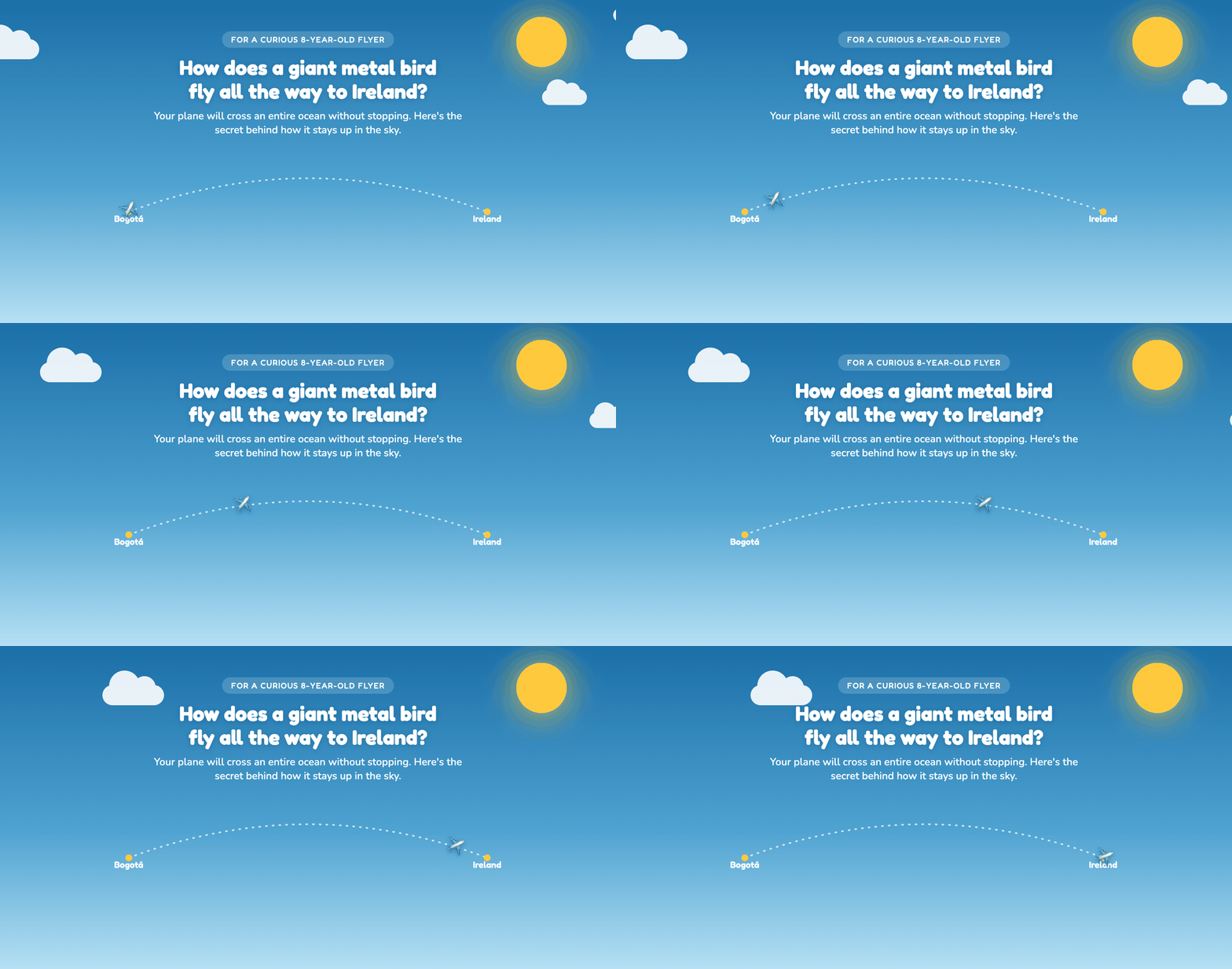
The page had a wing-angle slider he could drag to tilt the wing and watch the lift change, a "Take off!" button, and a facts section about our actual flight: the Bogotá-to-Ireland arc, cruising higher than Everest, crossing the Atlantic. It closed with a tip to pick a window seat over the wing.
One more detail worth knowing: the page works offline. He gets to play with it on the flight itself.
💡 Parent Insight: ChatGPT and Gemini both handed me a script and homework. Claude handed my son a toy. That difference, being told something versus doing something, decided the whole test.
Step 7: Let your kid judge
Show each output as-is. No fixing, no explaining on the AI's behalf. Then ask three questions per app:
- "Now you explain it to me." Comprehension is the killer metric.
- "Was that fun or boring?"
- After all three: "Which one would you show your friends?"
His reactions, in order:
- Gemini: confusing. The answer kept pointing at an image he could not find, because it did not exist.
- ChatGPT: the paper experiment lost him. "Hold it under your mouth so it hangs down" left him holding a sheet of paper with no idea where to put it. Adult-obvious is not kid-obvious.
- Claude: he dragged the slider himself, made the plane take off, and then explained lift back to me. Hands-down winner, his call, no hesitation.
His verdict on the winner, word for word:
"I can't wait until takeoff and I bags sitting at a window! Hopefully we will be near the wing so I can take a closer look"
Read that back against Claude's answer. The window seat over the wing tip came straight from the page he played with. Comprehension turned into anticipation. He was not repeating a fact. He was making a plan.
What worked
Making the kid the judge
If I had scored the three answers myself, ChatGPT and Claude would have been close. ChatGPT's explanation read well. But I was not the target audience. The moment a real 8-year-old had to use each answer, the ranking sorted itself in minutes.
Lesson: Judge AI answers by what your kid does with them, not by how they read.
The thing he could touch
The slider is the reason Claude won. He did not listen to a lecture about the angle of a wing. He tilted the wing himself and watched what happened. Two of the three AIs produced words about lift. One produced lift he could operate.
Lesson: When you prompt any AI for a kid, ask for something interactive, not something to read aloud.
Using the real trip
The prompt mentioned our Colombia-to-Ireland flight, and the two answers he liked used it. ChatGPT told him to watch what happens at takeoff. Claude built the flight facts in: our route, the altitude, the ocean crossing. Gemini ignored the trip and read like a textbook.
Lesson: Put your family's real details in the prompt. Personal beats generic with kids, every time.
What didn't work
Gemini's imaginary image
The headline failure. Gemini referenced "the image below" twice and never generated one. This was not a cosmetic bug. The missing picture confused the child the lesson was for. The hallucination had a real cost: it broke the lesson.
Lesson: Read the whole output before your kid sees it. If an AI references a visual, confirm the visual exists.
ChatGPT's paper experiment
"Hold the paper under your mouth so it hangs down, then blow across the top." Clear to an adult. My son stood there unsure where the paper was supposed to go. The experiment is a good one. The instructions assumed knowledge an 8-year-old does not have.
Time spent: A few minutes of the paper going everywhere except the right place.
Lesson: Physical experiments need kid-level instructions, or a parent demo first.
Nobody asked a single question
Not one of the three asked a follow-up. Not what he already knows, not whether we wanted a screen or a no-screen activity, nothing. All three answered a parenting question like a search query.
Lesson: Give the AI the context yourself, up front. It will not ask for it.
A note on the physics
One caveat for the scientifically inclined. Claude gave the most physically sound kid version: the wing pushes air down, so the air pushes the wing up. Newton, clean and correct. ChatGPT hedged carefully, vague but not wrong. Gemini leaned hardest on the textbook line "curved on top, so the air travels faster, so lower pressure," the classic oversimplification NASA's own education site warns about. Fine for an 8-year-old, weakest of the three on rigour.
One more pattern: all three reached for near-identical experiments. Hand out the car window came up twice, blow-over-paper twice. They have all read the same internet. What separated them was not knowledge. It was what they chose to build with it.
Getting the most out of your own AI battle
Before you start:
- Wait for a genuine question. Curiosity you did not manufacture is the fuel for the whole test.
- End your prompt with "make me something visual to help, whatever you think works best." The open brief is what exposed the gap between the three.
- Run all three prompts before the kid sits down. You want to catch a broken output, like a missing image, in private.
During the test:
- Keep the apps anonymous. A, B and C.
- Present each output as-is. If one is confusing, the confusion is the finding.
- Record the "explain it back to me" answer on video or a voice memo. It is the best evidence of what stuck.
What I'd do differently:
- Time each app with a stopwatch. "Minutes until something my kid could use" is a stat I wish I had.
- Demo any physical experiment myself first, before handing over the paper.
Platform comparison
ChatGPT (free)
- Pros: No login needed, works in incognito. Solid scripted explanation. Corrected the engines misconception head-on.
- Cons: The "visual" was an ASCII diagram. Experiment instructions confused an 8-year-old.
- Best for: A parent with five minutes and no accounts who wants talking points.
Gemini (free)
- Pros: Tidy, structured explanation once you are in.
- Cons: Hard login wall before your first question. Referenced an image it never generated. Ignored our trip.
- Best for: Households already living in Google accounts. Verify any visual it claims to include.
Claude (free)
- Pros: Built a working interactive page on the free tier. Deepest personalisation. Most physically sound explanation. The output works offline.
- Cons: Requires an account. The slider works best on a laptop.
- Best for: Turning a kid's question into something they operate themselves. Our winner, as judged by the kid.
Claude took the crown here because it closed the gap the other two fell into: the space between explaining to a parent and working for a kid.
Common issues and solutions
Problem: Claude answers with text only, no interactive page.
Solution: Ask directly: "Build this as an interactive page I can open." The open "whatever you think works best" brief worked for us, but a direct request is more reliable.
Problem: The AI references an image or chart it never made.
Solution: Reply "there is no image, please generate it" and it usually will. Better: catch this in your pre-check so your kid never sees the gap. Then use the moment. "The computer made a mistake" is a healthy thing for kids to hear.
Problem: The explanation is pitched too old or too young.
Solution: One follow-up fixes it: "explain it for a 6-year-old" or "he already knows the four forces, go deeper."
Problem: Gemini won't answer without a login.
Solution: No workaround exists. Sign in with a Google account, or drop Gemini and run the battle with two.
Problem: Your kid checks out during a long text answer.
Solution: Do not read AI answers aloud in full. Pull out one line, do the experiment, or show the visual. The text is for you, not them.
Problem: A physical experiment flops.
Solution: Do it yourself first, off-camera. If you cannot make it work in one try, your kid won't either.
Final verdict
Claude won this battle, and the 8-year-old called it without hesitation. One test, one kid, one question. I am not telling you Claude is "the best AI." I am telling you what happened at our kitchen table on a Friday afternoon.
The pattern underneath is the useful part. The two script-givers stumbled on the gap between explaining to a parent and working for a kid. The one that built something he could touch had no gap to fall into. He dragged a slider, made a plane take off, and explained lift back to me in his own words.
Try the winning page yourself: the interactive "how planes fly" page Claude built. Then run this exact battle with whatever question your kid asked you this week. If you do, tell me which AI your kid crowns. I share tests like this every Sunday with 500+ parents in the newsletter.