We Turned Homework Word Games Into Custom Vocabulary Practice Using AI
ON THIS PAGE
Subscribe To Get Weekly Family AI Discoveries

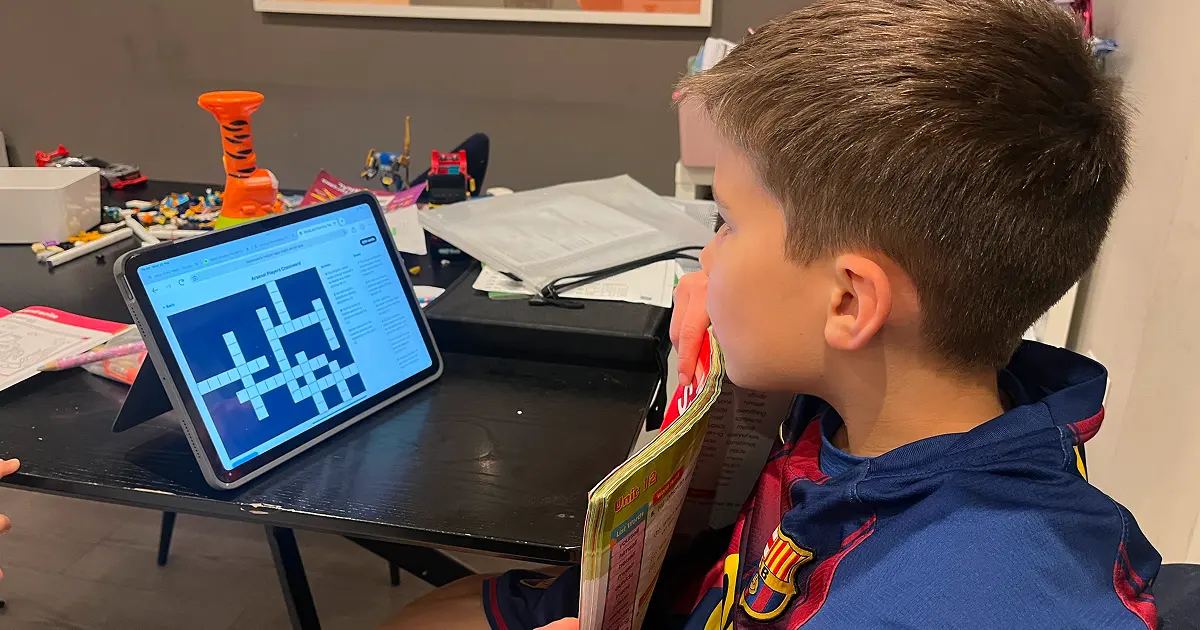
My 8-year-old has a homework book called My Spelling Workbook. Every week he works through a unit that includes a word search, a crossword, unjumble exercises, and Who Am I clues. He's good at them. They don't take long.
But I kept thinking: the format works. He enjoys the games. The problem is the topics are fixed. What if I took the same concept and let him pick any topic he wants? For him, that initially meant Arsenal players. For his 6-year-old sister, that means Peppa Pig.
So I built WordLab. Type any topic, get five word games generated by AI in seconds. Free, no signup, no ads. This guide shows you how we use it and what worked for each age.
What you'll need
Tools:
- WordLab (free, no signup)
- Any device with a browser (phone, tablet, laptop)
Your child's input:
- A topic they're interested in (football team, cartoon, school subject, animals)
Parent skills:
- None. Type a topic and hand over the device.
Time:
- 15-30 minutes per session. Most kids play multiple games from a single topic.
Not sure which tool is right for your child?
Take our free 2-minute quiz and get personalized AI tool recommendations based on your child's age and interests.
Step-by-step: playing WordLab with your kids
Step 1: Pick a topic together
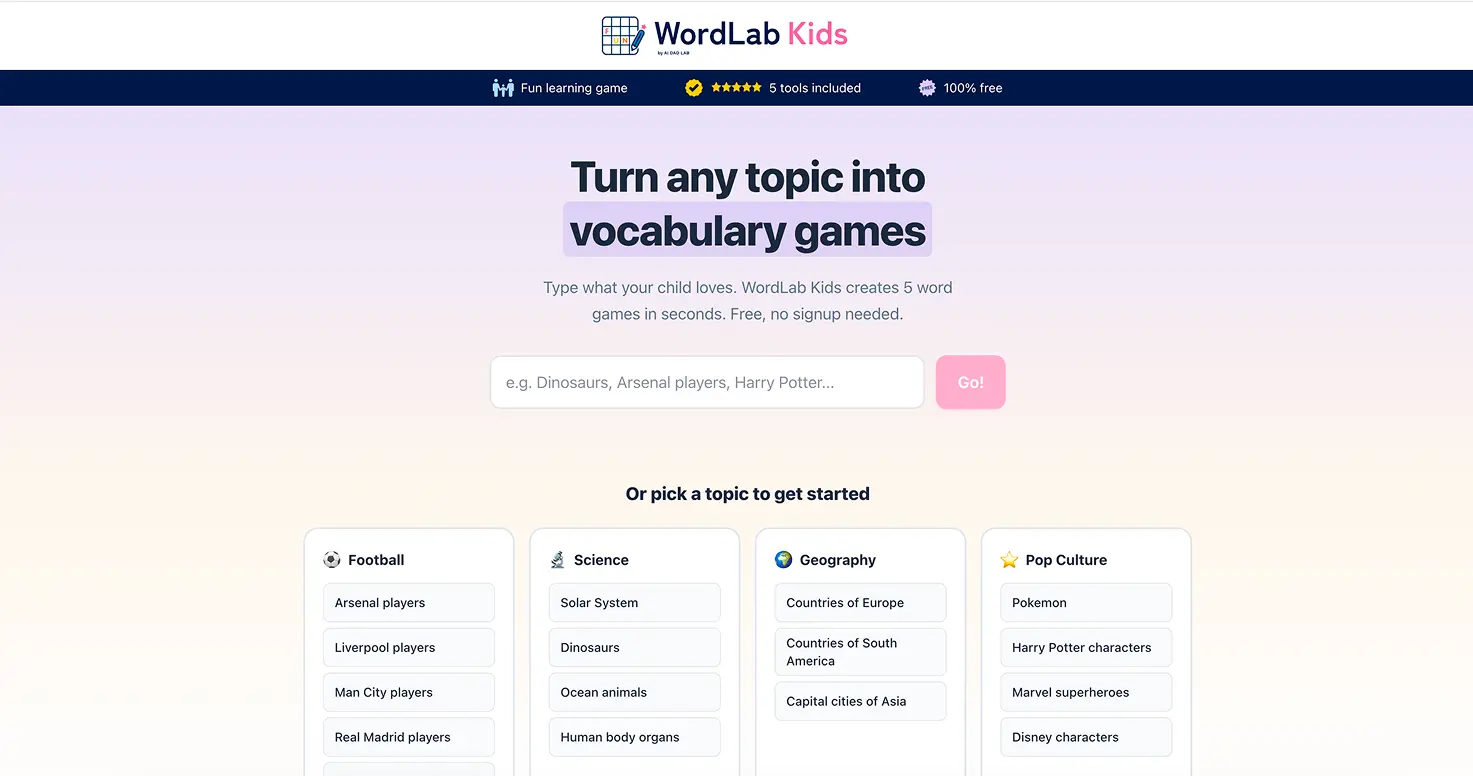
Open wordlab.aitoolsforkids.com on any device. You'll see a text input and some suggested categories: Football, Science, Geography, Pop Culture.
Ask your child what they want to play. My 8-year-old always picks Arsenal players. My 6-year-old picks Peppa Pig. Any topic works: dinosaurs, Pokemon, countries of Europe, Harry Potter characters.
💡 Parent Insight: Let your child type the topic themselves if they can. It builds ownership. My son types "Arsenal players" without help. For my 6-year-old, I type it for her.
Step 2: Choose a game
After entering a topic, WordLab generates the word list and shows five game cards: Crossword, Word Search, Unjumble, Missing Letters, and Who Am I?
My 8-year-old goes straight to the crossword every time. It's his favourite because the clues are specific. For Arsenal players, he gets clues like "Norwegian playmaker and set-piece specialist" for Odegaard. He finds that genuinely challenging.
For younger kids, start with Word Search or Missing Letters. These are simpler and more visual.
Step 3: Play the crossword (ages 7+)
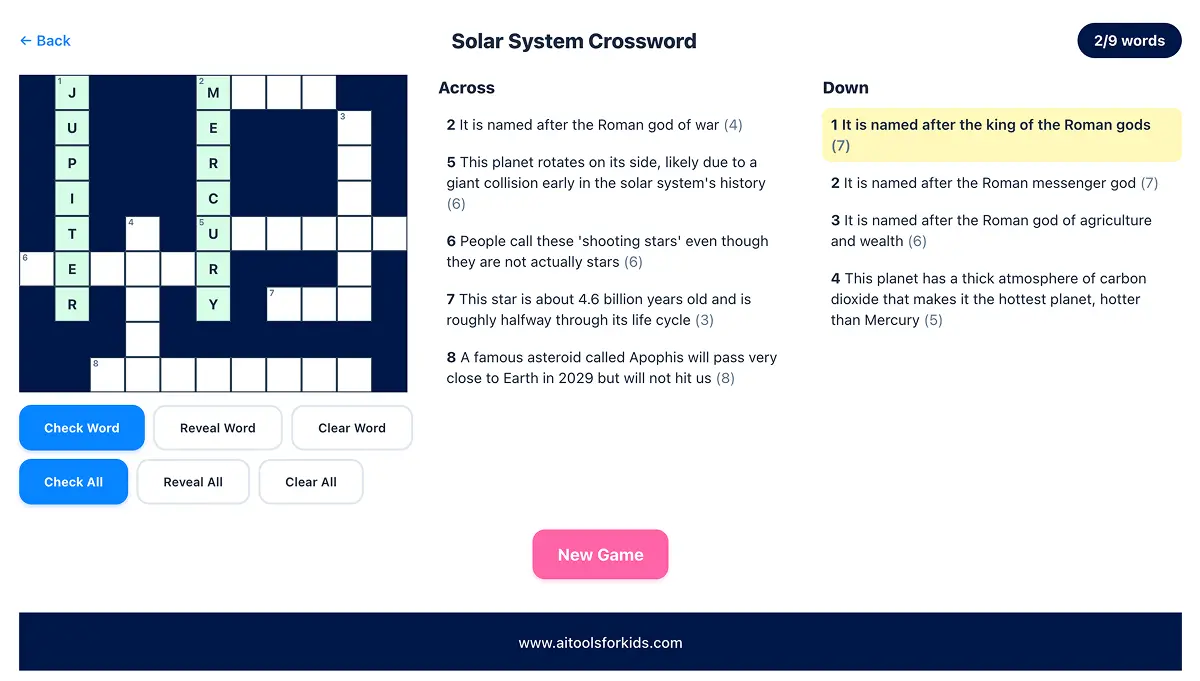
The crossword uses a Guardian-style layout with intersecting words, across and down clues, and numbered cells. Tap a clue to highlight the word in the grid. Type your answer letter by letter.
Stuck? Three options: Check Word (shows which letters are right/wrong), Reveal Word (fills in the answer), or Another Clue in Who Am I mode.
💡 Parent Insight: My 8-year-old spends 15-20 minutes on the crossword. He uses Reveal on maybe 2-3 words per game. That's fine. He's still reading the clues, learning vocabulary, and building comprehension.
Step 4: Play the word search (ages 5+)
The word search shows a grid of letters with a list of words to find. Drag your finger (or mouse) from the first letter to the last letter of each word.
💡 Parent Insight: The grid is too big for my 6-year-old to scan alone. Here's what works: I look at the word list, pick a short name (like DANNY or PEPPA), and point to roughly where it starts in the grid. She spots it from there and traces it with her finger. We work through the list together.
Step 5: Try unjumble and missing letters (ages 6+)
Unjumble shows scrambled letters. Type the correct word. Missing Letters shows the word with blanks. Fill in what's missing.
💡 Parent Insight: The unjumble works well for my 6-year-old on short names. I ask her to spell them out: P-E-P-P-A, S-U-S-I-E. She's learning to connect letters to words she already knows from the show. The longer names are too hard for her right now, but the short ones are the right level of challenge.

Step 6: Play Who Am I? (ages 7+)
Progressive clues, one at a time. First clue is hard, second is medium, third is easy. Type your answer after each clue.
My 8-year-old loves getting it on the first clue. He treats it as a competition with himself: how many can I get with one clue?
Step 7: Hit New Game or switch games
Each game has a New Game button that generates fresh questions from the same topic (avoiding repeats from the previous round). Or go back to the game selection and try a different game type. One topic gives 30+ minutes of varied play across all five games.
Why this works
The format is identical to what kids already do for homework. Word searches, crosswords, unjumble, fill-in-the-blanks. Schools use these because they work for building vocabulary and spelling. The difference is the topic.
When my son does his spelling workbook, he finishes in 10 minutes and moves on. When he plays the same games about Arsenal players, he'll spend 20 minutes and ask to keep going. The content is the hook, not the format.
The AI generates all the clues and word lists behind the scenes. Kids never see it. My son has no idea AI is involved. He thinks it's a word game that knows about Arsenal. That's how AI tools should work for kids: useful, invisible, and fun.
Not just for kids
My wife came home from her Zumba class last night and typed in "dancing." WordLab generated a set of world dances and she spent a good 20 minutes on the crosswords and word searches, completely engrossed. She's a Zumba instructor, so Latin dance moves were top of mind, and she found herself learning about dances she hadn't heard of.
That surprised us both. We built this for our 8-year-old's homework, but it works for anyone who wants to learn about a new topic through word games. It's a genuine family activity where everyone can play on a topic they care about.
Tips for different ages
Ages 5-6 (parent-guided):
- Pick topics they know well (Peppa Pig, Bluey, Paw Patrol) so the words are familiar
- Start with Word Search or Missing Letters. Skip the crossword and Who Am I for now.
- For word search, point to roughly where a short word starts. Let them find and trace it.
- Use unjumble for spelling practice on short words. Ask them to spell it out letter by letter.
- Keep sessions to 10-15 minutes. Stop while they're still engaged.
Ages 7-9 (independent play):
- Let them pick the topic and choose the game. Ownership matters.
- The crossword is the star for this age range. Clues are specific enough to be challenging.
- Using hints and reveals is fine. They're still reading clues and learning.
- Try different topics across sessions. Football one day, dinosaurs the next.
Ages 10-12 (challenge mode):
- Pick harder topics with longer words (Countries of South America, Marvel Superheroes)
- Challenge them to complete the crossword without using Reveal
- The Who Am I game on first-clue-only mode is a good challenge
Common issues and solutions
Problem: Topic generates unfamiliar words
Solution: Pick more specific topics. "Arsenal players" works better than "football" because the words are names your child knows. "Peppa Pig" works better than "cartoons."
Problem: Word search grid is too big for younger kids
Solution: Work through it together. Pick the shortest words from the list first. Point to the general area where the word starts and let them find it.
Problem: Child gets frustrated when stuck on crossword
Solution: Use the Check Word button to show which letters are right. Use Reveal Word when they're stuck. There's no penalty. The goal is learning, not perfection.
Problem: Same questions appearing on replay
Solution: WordLab avoids repeating items from the previous round. If you've played many rounds, some overlap is normal because the word list for a topic is 12-15 items and each game uses 8-10.