Design a Football Kit With AI: How My Son's Design Won the Camp

ON THIS PAGE
Subscribe To Get Weekly Family AI Discoveries

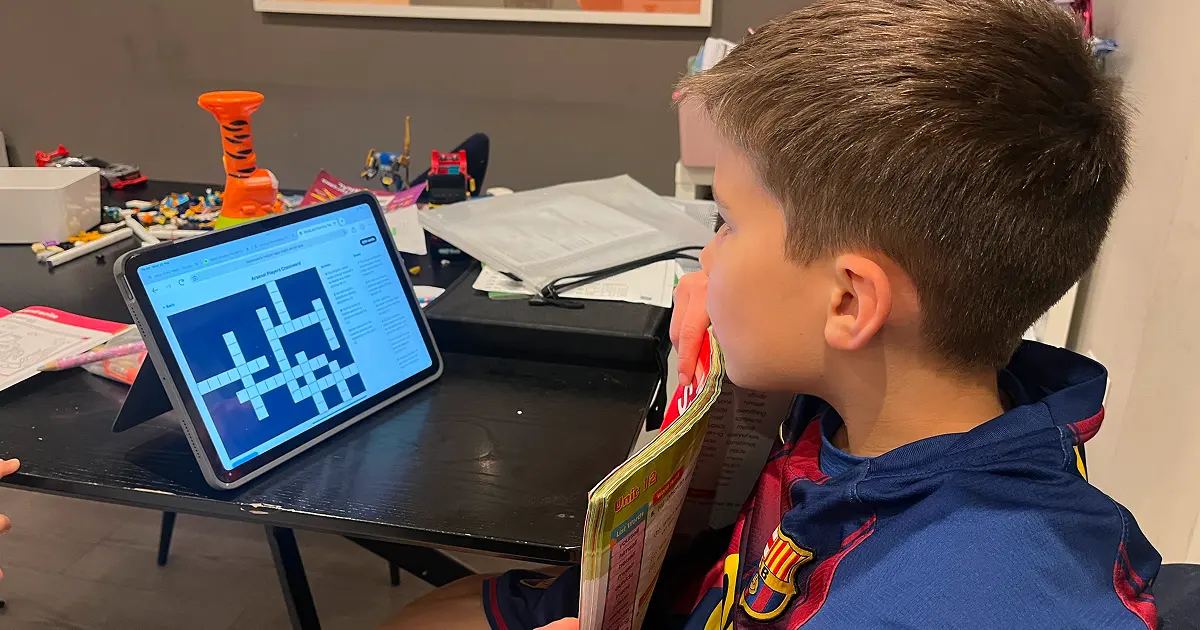
Mateo came home from Tekkers soccer camp with a homework challenge. His team needed to design a new kit for Teaching Tekkers, a real coaching organisation in Dublin. Best design won team points. He is competitive.
He started sketching on paper. Then we had an idea.
Instead of drawing the jersey shape from scratch, we used Nano Banana 2 to generate a clean outline template. Jersey, shorts, socks. No colour filled in. Mateo could then apply patterns from his favourite real jerseys and colour everything himself.
Three prompts. 30-45 minutes. His design beat every team at the camp. It is now being considered as an actual kit design for Teaching Tekkers next season.
This guide shows exactly what we did, including the full prompts and what to watch out for.
Quick overview
- Time: 30-45 minutes
- Cost: Nano Banana 2 via Higgsfield (paid subscription)
- Difficulty: Beginner
- Age range: 8-12 years
- Key learning: Use AI to generate blank kit outlines, then transfer real jersey patterns onto them
- What you'll create: Custom football kit designs with real jersey patterns, ready to colour in
What you'll need
Tools:
- Free option: Nano Banana 2 in the Gemini app — free with any Google (Gmail) account, up to 20 images per day. Enough to complete this project.
- Reference jersey images from Google Images or your own photos
- Your club or organisation's logo as a JPG or PNG file
Your child's input:
- One or two favourite jerseys to use as pattern references
- Ideas for their own colour scheme
Parent skills:
- Uploading images in Nano Banana 2
- Writing short text prompts
Optional:
- Printer to print the blank outlines for physical colouring
- Coloured pencils or markers
Not sure which tool is right for your child?
Take our free 2-minute quiz and get personalized AI tool recommendations based on your child's age and interests.
Step-by-step process
Step 1: Gather your images
Before opening Nano Banana 2, collect what you need. Download or photograph your organisation's logo. Find clear images of the reference jerseys your child wants to use. Keep them in one folder. This saves time once you're inside the tool.
Step 2: Generate the kit outline
Open Nano Banana 2 via Higgsfield and upload the Tekkers logo. Use this prompt, adapting it for your own club:
I would like to have an outline of a football kit which should have jersey, shorts and socks. The jersey should have this crest. There should be no other colours.
This generates a clean, blank kit template with the crest in place. No fill. No shading. Ready to colour.

💡 Parent Insight: If grey shading appears, add "black outline only, no fill, no shading, white background" to the prompt. The more specific the instruction, the cleaner the result.
Step 3: First design, free colouring
Print the outline and hand it to your child with no instructions. Let them colour it in freely. No pattern reference. No rules. This gets them engaged and gives them one complete design before the pattern steps.
Step 4: Apply your first jersey pattern
Mateo chose the Arsenal third kit for his first pattern. He loved the geometric design. Upload the blank kit outline and the Arsenal jersey image together, then use this prompt:
Could you now add the pattern from the Arsenal jersey to the jersey in the outline image. There should be no colour in the outline image. The outline jersey should only have the pattern from the Arsenal jersey and nothing else - do NOT include the Emirates sponsor, the Adidas and Arsenal crest. Everything about the outline image should stay the same except for the pattern.
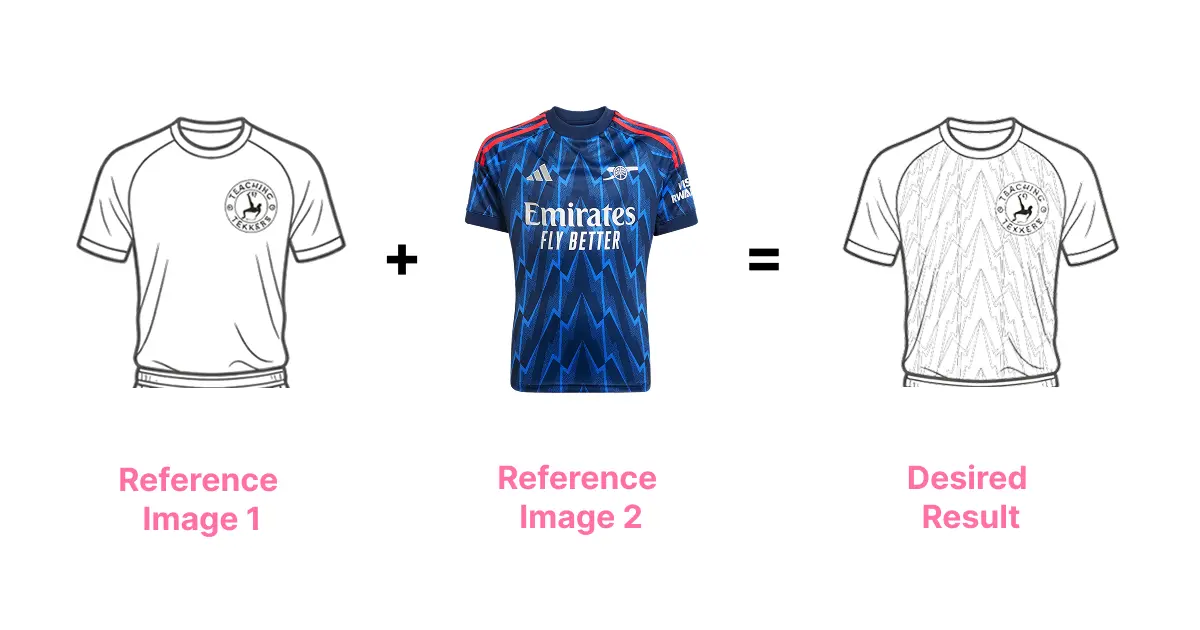
Result: The geometric pattern transferred onto the outline. No Emirates sponsor. No Adidas logo. Tekkers crest stayed in place. Worked on the first attempt.
💡 Parent Insight: Name every sponsor and badge you want excluded. "No logos" is too vague. Nano Banana 2 responds to specific names. The more you name, the cleaner the result.
Step 5: Apply a second jersey pattern
Mateo then picked the Ireland away kit for his second pattern. Upload both images again and use this prompt:
Can you recreate the pattern from the jersey on the right onto the outline jersey in image 1. I don't want you to include the sponsor (Sky) and I don't want the Castor logo. I want you to use the Tekkers logo from the outline jersey in image one. Maintain the pattern from the real jersey and put it on the outline jersey but without any colours - only transfer the pattern without any colours. And no dark greys. Just lines for the actual pattern so it can be coloured in for a kids activity.
Result: The Ireland diagonal stripe pattern transferred onto the outline. Tekkers crest held position. Pattern rendered as line work only, ready for colouring.
Step 6: Child colours in all designs
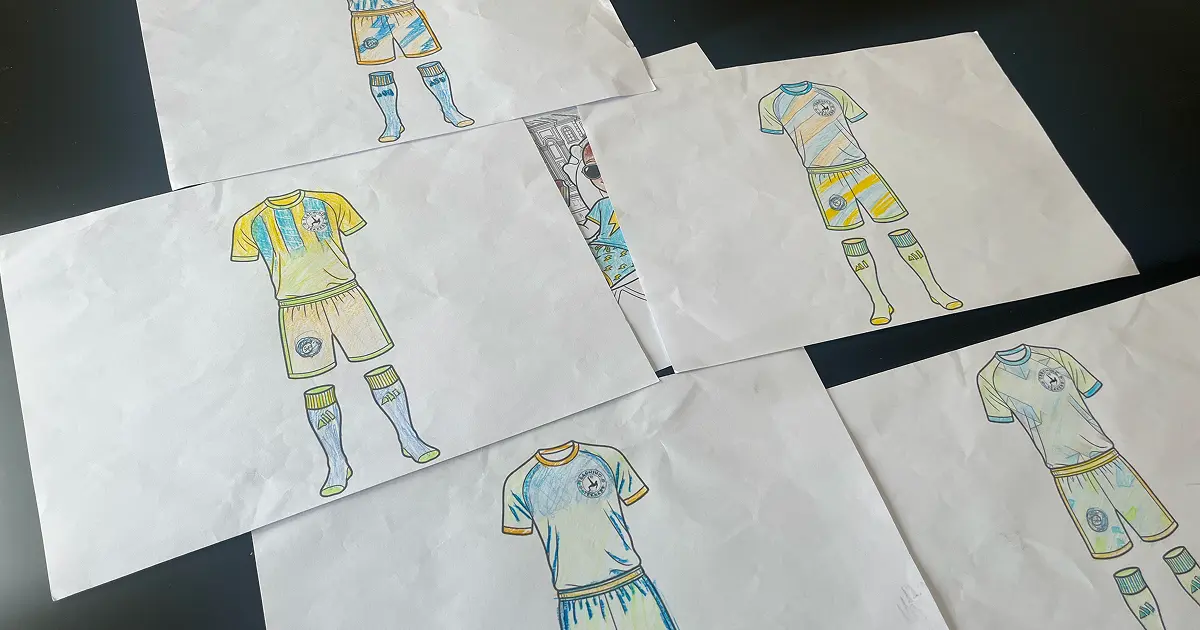
Print each patterned outline and let your child colour them in different schemes. Mateo ended up with several distinct designs from the same base template.
Step 7: Submit and compete
Mateo brought his designs to camp on Tuesday. His teammates voted his design the best on the PSG team. It then competed against all the other teams in the full camp vote. He won. His design is now being considered for the real Teaching Tekkers kit next season. He came home buzzing.
What worked
The blank outline prompt
The "no colours" instruction produced a clean colouring template on the first attempt. No iteration needed. The kit came out with just enough detail to be recognisable but simple enough for Mateo to colour any way he liked.
Lesson: State what you don't want, not just what you do. "No colour, no fill, no shading" beats "just the outline."
Pattern transfer with reference images
Both jersey pattern transfers worked on the first try. Uploading a clear reference image and being specific about exclusions made the difference. Mateo got clean line-work patterns he could colour in any scheme.
Lesson: Give Nano Banana 2 a real reference image alongside the prompt. Description alone produces inconsistent results.
Keeping the child in control
The AI handled the technical parts. Mateo handled every creative decision. Which jersey to reference. Which colours to use. Which design to submit. His ownership of those choices made the result feel genuinely his.
What to watch out for
Unintended shading in the outline
Nano Banana 2 sometimes adds subtle grey shading even when asked for no colours. If this happens, add "white background only, no shading, no fill, black outline lines only" to your prompt.
Time cost if this happens: One additional generation, about 3 minutes.
Sponsor logos appearing in the result
Generic exclusions like "no logos" are less reliable. Name each one specifically: "do NOT include the Emirates sponsor, the Adidas logo, the Arsenal crest". This consistently worked for us.
Going further
The outcome that impressed me most was not the quality of the AI output. It was what Mateo did with it.
He had a tool that removed the one part of the task that usually stops kids: drawing a convincing kit shape. Once that barrier was gone, he went straight to the creative decisions. Which pattern? Which colours? What combination looked best?
That is the real value here. AI handled the technical scaffolding. He handled the imagination.
The same workflow works beyond football. Your child could design a dress for a doll, a superhero costume, a school uniform redesign, a GAA jersey for their county team. Any clothing item with an outline and a pattern reference. The prompt structure stays the same: generate the blank outline, upload a pattern reference, apply it, adjust exclusions, colour in.
For Mateo, this started as homework. It became a competition. And his design might end up on real kids at real camps next year. That's what happens when you give an 8-year-old a good tool and get out of the way.
Getting the most out of Nano Banana 2
Before you start:
- Have your logo file ready as a clean PNG or JPG before opening the tool
- Find 2-3 jersey references your child loves, not just one. Options keep the session going.
- Print the blank outline first so your child can do one freehand design before the pattern steps
During the session:
- Let your child pick which jersey pattern to use. Engagement is higher when it is their choice.
- Ask your child to describe what they want before you write the prompt. Their words often contain the best instructions.
- Generate the plain outline first. Confirm it looks right before uploading pattern references.
What I'd do differently:
- Start with 2-3 outline variations (different collar styles) so your child has more templates to choose from
- Save each prompt after it works. The exclusion prompts took some thought and are worth reusing.
Platform options
Nano Banana 2 via Gemini app (free with Gmail account)
- Pros: Completely free, up to 20 images per day, no account setup beyond Gmail
- Cons: Lower resolution output than paid tiers, daily image limit
- Best for: Testing the project before committing to anything paid
Nano Banana 2 via Higgsfield (paid subscription)
- Pros: Higher resolution, more daily generations, upscaling tools included
- Cons: Requires paid subscription
- Best for: Parents who want to use this regularly across multiple projects
ChatGPT with DALL-E (from $20/month)
- Pros: Widely available, many families already have access
- Cons: Pattern transfer is less precise, may need more iterations to remove logos cleanly
- Best for: Families already using ChatGPT who want to try the concept first
Common problems and solutions
Problem: Colours appear in the outline despite asking for none.
Add this to your prompt: "black outline lines only, no fill, no colour, no shading, white background."
Problem: Sponsor logos or club badges still appear in the result.
Name them one by one: "do NOT include the Emirates sponsor, the Adidas logo, the Arsenal crest." Generic instructions are less reliable than named exclusions.
Problem: The crest appears in the wrong position or disappears.
Add positional instructions: "The Tekkers crest should be centred on the left chest of the jersey."
Problem: The transferred pattern is too heavy or detailed for colouring.
Add: "simplified lines only, light outline, suitable for a child's colouring in activity."
Problem: The result looks like a finished coloured jersey, not a colouring template.
Start a new generation with a simpler prompt: "A black line drawing of a football jersey with no fill and no shading, suitable as a colouring page."
Final verdict
This took 30-45 minutes from first prompt to finished designs. Mateo did the creative work. The AI did the technical work. That division is exactly what you want from a tool at this age.
The outcome surprised me. Not because AI generated a kit outline, but because Mateo took genuine ownership of something that started as homework and ended as a real design competition win. The technology got out of his way fast enough for that to happen.
Free option: Nano Banana 2 is available free in the Gemini app with a standard Google (Gmail) account, up to 20 images per day. No paid subscription needed to try this project with your kids. Open the Gemini app, go to image generation, and follow the same prompts above.
If you want more images per day or higher resolution output, Higgsfield offers paid plans. But for a one-off Easter camp project, the free Gemini tier is enough to complete this from start to finish.